


Cartoonify AI Caricature Maker
4.52.25K Reviews
App Specs
- Version
- 1.0.6.5
- Updated On
- License
- Free
- Downloads
- 1,000,000+
- Developer
- Lyrebird Studio Teknoloji Limited Şirketi
- Categories
- Photography
- Platform
- Android
Screenshots
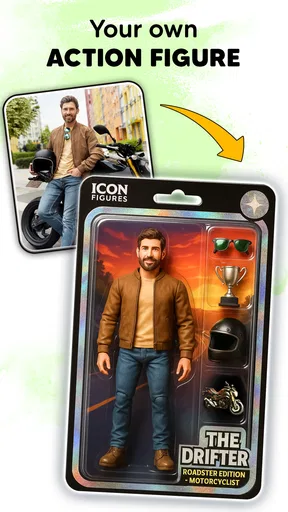
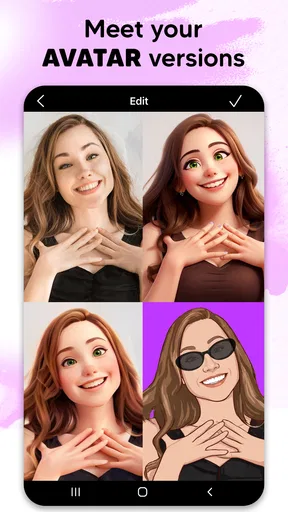
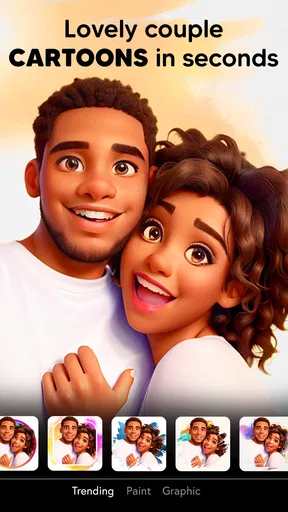
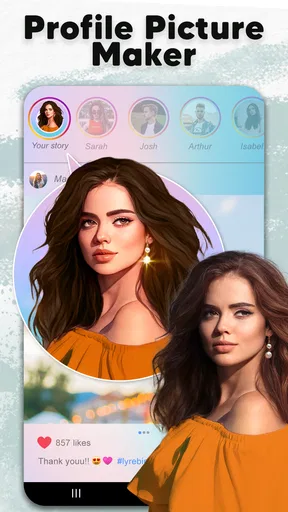
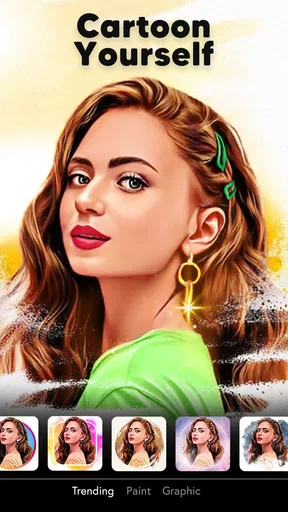
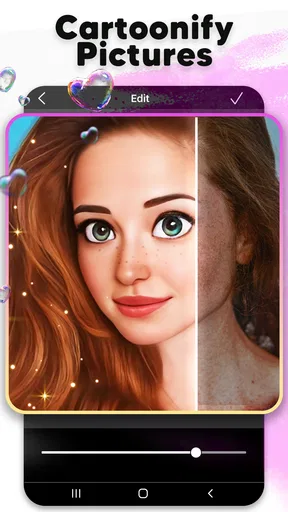
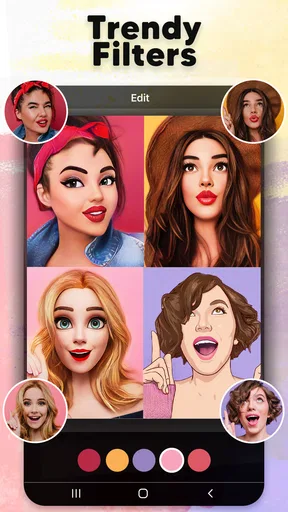
 Analysis by AppCompare
I find photo-effect apps most frustrating when the first result looks nothing like the picture I chose, or when I can’t tell whether a problem comes from the photo, the connection, or the app itself. Cartoonify AI Caricature Maker is meant for a quick change of style rather than careful portrait retouching, so I’d approach it with a playful source photo and modest expectations: the aim is an entertaining cartoon interpretation, not a faithful hand-drawn commission.
Where a first attempt can go wrong
With a face-based effect, the source image matters. A dim selfie, a face turned far away, or several people crowded into one frame can make it harder to get the kind of clear, recognizable result you had in mind. If the first transformation feels off, I wouldn’t immediately assume the app has failed. I’d try a well-lit portrait with the face easy to see, then compare the result before changing several things at once.
That small test is useful because a dramatic effect can exaggerate whatever is already in the image: shadows, strong color, or an unusual angle. For a profile picture, I’d start with a straightforward head-and-shoulders photo. For a joke to send to a friend, a more expressive pose may be worth trying, even if the result is less polished. A clear face gives the effect a better starting point, but it can’t guarantee that every style will suit every photo.
Simple checks before you edit
The app is free to install, and it is developed by Lyrebird Studio Teknoloji Limited Şirketi. It has a 4.5 average from around 48,000 ratings, with over one million installs, which suggests that plenty of people use it for this kind of lighthearted photo play. It is rated for Everyone, but I’d still take a moment to check what you’re selecting before sharing a finished image, especially if the photo includes someone else.
If the gallery doesn’t show the picture you want, first check that you’re looking in the right place on your device and that the image is available there. If you take a fresh selfie inside the app, make sure the phone’s camera is ready to use. Those are ordinary checks, not special tricks: they can save you from repeatedly tapping through the same screen without knowing whether the issue is the chosen image or the way it is stored.
The current version is 1.0.4.1, and the stated minimum Android requirement is 7.0. I’d check that your device meets that requirement before troubleshooting an installation problem. Cartoonify is free, with in-app purchases priced from $4.99 to $39.99 per item, so I’d also look carefully at any purchase screen and decide whether an extra is worth it before confirming. You can try the basic experience first rather than treating a paid option as a prerequisite.
Recovering a stalled or disappointing workflow
If an edit seems to stall, I’d avoid tapping repeatedly or restarting the same transformation without checking the basics. Confirm that the selected image opens normally in your gallery, then try again with a smaller, simpler portrait if you have one available. If the app is being used where the connection is unreliable, move somewhere with a steadier signal and test again; image-processing and sharing steps can behave differently from browsing a photo already on the phone.
Worth Reading Before You Choose

EA SPORTS FC Mobile 26 Is a Bigger Football Game, but It Takes Time

Flipboard Shows What News Apps Must Do Beyond the Feed

Switching to Android Auto Means Rethinking Your Driving Routine

Google Calendar Makes a Crowded Week Easier to Manage

Ludo King Makes the Most of the Minutes Between Plans

Baby Panda World Brings Quick Play to Modern Phones, but Its Game Library Feels Busy
For a result that looks wrong rather than frozen, change just one variable at a time. Try another source photo before switching styles, or keep the photo and choose a different effect. That makes it easier to tell whether the issue is the image or the look you selected. I’d save a version I like before experimenting further, so a playful detour doesn’t replace the result I actually wanted to keep.
When the app may not be the problem
Sometimes the bottleneck is the photo or the phone’s usual sharing flow rather than the editing tool. A picture that looks crisp in a gallery preview can appear less effective once a strong cartoon treatment changes its lines and colors. Likewise, if a finished image doesn’t appear where you expect, I’d check the device’s normal photo and sharing options before repeating the edit. The app can create the image, but the next step still depends on how your device handles saving or sending it.
I also wouldn’t use this as my only tool for a carefully controlled professional portrait. A dedicated photo editor is a better fit when I need precise retouching, detailed layer work, or consistent brand colors. Cartoonify is more appealing when speed and surprise matter more than exact control: choose a picture, try a visual treatment, and decide whether the result makes you smile.
Who gets the most from it
I can see this fitting a quick, everyday moment: you take a decent selfie before meeting friends, turn it into a cartoon, and send it in a group chat as a small joke. It can also make a casual avatar or a playful image for a birthday message. In those situations, the fun is in trying a look and seeing how a familiar face changes, not in polishing every detail for a formal portfolio.
Compared with a general-purpose photo editor, Cartoonify puts the cartoon transformation at the center of the experience rather than asking you to build that look from many manual adjustments. That makes it less demanding for a quick experiment, but it also means it is not the obvious choice for someone who wants broad, precise editing controls. If you mainly want filters for landscapes, product shots, or full manual color correction, a conventional editor will likely serve you better.
First Impressions
Upon downloading Cartoonify AI Caricature Maker, the first thing that struck me was its clean and intuitive interface. It’s not cluttered with unnecessary features, which is a big plus in my book. You can tell right away that it’s designed to be user-friendly. Whether you’re a tech guru or someone who just got their first smartphone, you’ll find it easy to navigate.
The app opens up straight to your gallery, making it super convenient to select a picture you want to transform. And if you’re like me and enjoy taking a fresh selfie for editing, you can do that right from within the app. Pretty neat, huh?
Features and Functionality
This is where Cartoonify really shines. The app is packed with a variety of filters and effects. You can choose from classic cartoon styles, vibrant pop art, or even go for a black and white sketch look. The AI technology behind the app does a fantastic job of recognizing facial features and maintaining detail, which means your caricatures look spot on.
I also found the customization options quite impressive. You can tweak the intensity of the effects, adjust colors, and even add fun elements like hats and glasses. It’s like having a mini art studio in your pocket!
Performance and Usability
Performance-wise, the app runs smoothly on both Android and iOS. I tested it on my slightly older Android device, and I was pleasantly surprised by how fast it processed the images. No frustrating lags or crashes, which is always a relief.
One thing I really appreciate is the offline capability. You don’t always need an internet connection to use the basic features, which makes it perfect for those times you’re stuck on a long flight or just trying to conserve data.
Sharing and Social Integration
What’s the point of creating amazing caricatures if you can’t share them, right? Cartoonify makes sharing super easy. You can post your creations directly to social media platforms like Instagram and Facebook, or send them to friends via messaging apps. I’ve had a blast seeing the reactions to my cartooned selfies!
For a cleaner result, I’d treat the choice of photo as part of the editing process rather than an afterthought. A close crop gives a face more room to read, while a busy background can compete with the transformation. If you’re making an avatar, check how the finished image looks when small; tiny details that seem fun on a full-screen preview may disappear once the picture is reduced. For a greeting or group-chat image, a more exaggerated treatment can be entertaining even if it would be too bold for a profile.
One useful way to explore the style controls is to make a few versions from the same portrait, changing only the effect or its intensity each time. That gives you a fair comparison and helps avoid the common trap of changing the photo, color, and decoration all at once. I’d keep the original image untouched and think of the cartoon as a separate creative copy. That way, I can share the playful version without losing the natural photo I might want for another purpose.
Choosing the right tool for the job
In the photography-app category, there are two common routes to a stylized portrait: a general editor with a broad collection of tools, or a more focused app that makes one kind of transformation easy to try. Cartoonify belongs closer to the second approach. I’d choose it when the goal is to get a cartoon-like look quickly, rather than spend time manually shaping edges, color, and layers in a more complex editor.
That convenience comes with a trade-off. A focused effect can be enjoyable and accessible, but the result depends on how the app interprets the picture and on the controls available for adjusting it. If I need the same illustration style across a set of portraits, exact color matching, or detailed cleanup around hair and clothing, I’d move to a tool designed for more deliberate editing. If I just want a funny alternative to a regular selfie, this is the more approachable place to start.
I’d also separate the question “Can I use it?” from “Will it make the exact image I pictured?” Its simple entry point makes it suitable for casual experimentation, but an automated transformation is still an interpretation. That matters if you’re preparing a formal business profile or a polished campaign asset: I would inspect the finished image closely and have a conventional editor available if precision is important. For a personal avatar, a playful card, or a one-off share, those imperfections can be part of the charm.
Everyday use without overthinking it
Imagine you’re waiting for a friend and have a few minutes to spare. You pick a well-lit selfie from the gallery, try a cartoon treatment, then compare it with a sketch-like option. One version works as a small profile image; another is funnier in a message because the contrast is stronger. You adjust the effect rather than retaking the photo, keep the version you prefer, and send it through your usual sharing app. That is the sort of low-stakes moment where I think Cartoonify makes sense.
It can be useful for more than selfies, but I’d keep expectations sensible with group pictures. When several faces appear at different sizes or angles, the result may feel less consistent than a clear portrait. A practical workaround is to crop one person first using the phone’s regular photo tools, then try the effect on that closer image. If the point is to cartoon the whole group together, I’d accept that the outcome may be more unpredictable and choose a photo where everyone is visible.
Costs, comfort, and a sensible first try
Because there are in-app purchases, I’d treat the free starting point as a chance to decide whether the style suits you, not as a promise that every option is included. The listed purchase range is $4.99 to $39.99 per item, so I’d read each purchase screen carefully and avoid confirming anything just to get past it. If you only want an occasional cartoon portrait, it is worth asking whether the available free use already covers that simple need before spending.
The app is rated for Everyone, but I’d still use ordinary care with photos of friends, children, or anyone who has not agreed to have their image shared. A cartoon treatment doesn’t change the basic etiquette of sending someone else’s picture around. For a personal image, the decision is straightforward; for a group-chat gag, I’d make sure the people in it would find the joke fun too.
Practical verdict
Overall, I’d recommend Cartoonify to someone who wants a quick, approachable way to give a portrait a cartoon flavor and doesn’t mind testing a couple of looks to find one that works. It is especially suited to casual sharing, playful avatars, and small creative breaks. The combination of simple access to the gallery and adjustable effects makes experimentation feel less like a project and more like a few minutes of fun.
I’d skip it if my main need were precise portrait retouching, professional consistency, or a reliable match to a very specific illustration brief. In those cases, a full photo editor—or a human illustrator for a distinctive commission—would be a better fit. For everyone else, I’d start with one clear photo, make a couple of controlled comparisons, and keep the result that feels most like you. That’s where this app is at its best: not as a replacement for serious editing, but as an easy way to see a familiar picture in a new, amusing style.
Final Thoughts
All in all, Cartoonify AI Caricature Maker is loads of fun and a fantastic tool for anyone looking to add a creative twist to their photos. It’s easy to use, offers plenty of features, and performs like a champ. Whether you’re looking to impress your followers or simply entertain yourself, this app is definitely worth checking out.
If you decide to give it a go, let me know what you think! Happy cartooning!
Pros
- Easy-to-use interface for quick caricatures.
- Wide variety of styles to choose from.
- Processes images quickly with minimal lag.
- High-quality outputs suitable for sharing.
- Regular updates with new features and styles.
Cons
- Limited free features; many require purchase.
- Occasional glitches with complex images.
- Requires internet connection to function.
- Ads can be intrusive in the free version.
- Limited customization options for advanced users.
FAQs for Cartoonify AI Caricature Maker
What features does Cartoonify AI Caricature Maker offer?
Cartoonify AI Caricature Maker provides an array of features including real-time photo-to-cartoon conversion, customizable filters, and a variety of editing tools to enhance your images. Users can transform their selfies into unique caricatures with different artistic styles, making it perfect for social media sharing or personal use.
Is Cartoonify AI Caricature Maker free to use?
The app offers a free version with basic features; however, premium features are available through in-app purchases or subscription plans. These premium options often include additional filters, higher resolution exports, and an ad-free experience, providing more versatility for users who seek advanced editing capabilities.
How user-friendly is Cartoonify AI Caricature Maker for beginners?
Cartoonify AI Caricature Maker is designed with an intuitive interface, making it accessible for beginners. The app provides step-by-step guidance and easy-to-use tools, ensuring that users can quickly transform their photos into cartoons without needing any prior editing experience. Its simplicity is one of its standout features.
What are the system requirements for Cartoonify AI Caricature Maker?
To run Cartoonify AI Caricature Maker smoothly, users need a device with at least Android version 6.0 or iOS 11.0. The app is optimized for both smartphones and tablets, but a device with a good processor and sufficient RAM will ensure faster processing and a smoother user experience, especially for high-resolution editing.
Is my data safe with Cartoonify AI Caricature Maker?
Cartoonify AI Caricature Maker takes user privacy seriously. The app adheres to standard data protection protocols and does not store or share your photos without consent. Users can review the privacy policy within the app to understand how personal data is managed, ensuring peace of mind while using the service.


